Your home,
at a glance.
What’s playing. What needs attention.
What your equipment costs to run.
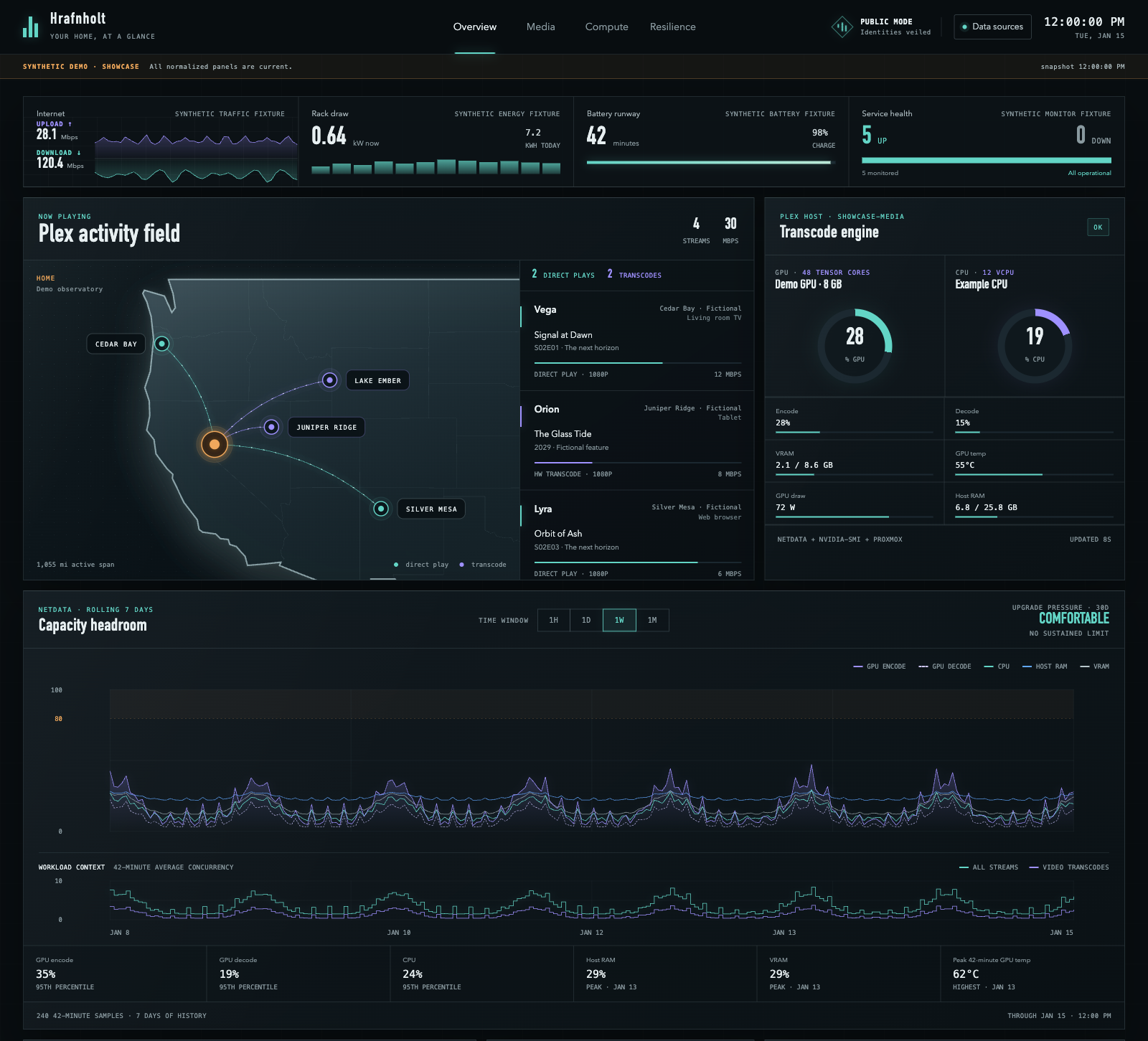
Hrafnholt brings your home servers, media, network, and energy into one dashboard.
Explore with fictional data. No account or installation needed.
A place for the services
you already use.
Start with one connection. Add the others when you’re ready.
- Media & downloads
- See Plex activity through Tracearr, your Sonarr calendar, recent Radarr movies, and SABnzbd or qBittorrent queues.
- Servers & service health
- Follow Netdata performance, Proxmox resources and backups, TrueNAS storage, Arcane containers, and Uptime Kuma status.
- Network & energy
- Watch UniFi traffic and metered PDU outlets, UPS battery life, and household usage with the optional Emporia energy service.
Make it yours.
Run Hrafnholt with Docker, copy the starter settings, and connect your first service. The setup guide walks you through each step.
Open the setup guideYou stay in control.
Hrafnholt reads your services. It doesn’t change their settings or start jobs.
Your dashboard stays yours.
Host it on your own equipment. Connections use a settings file; there’s no setup wizard yet.
Keep live data private.
There’s no built-in login. Use authentication and HTTPS when sharing your live dashboard. Security guide